
One step
at a time
One step per screen with a large, glanceable timer. Each step lists only the ingredients it uses, and the next step previews below.
Launching soon · early access open
A guided cooking app that runs one step at a time, keeps your timers straight, and works with the plane in the air. English and Arabic, equally.
Founder $9.99 for the first 50 customers, then $14.99
One-time purchase. No subscription. iOS and Android.




One step per screen with a large, glanceable timer. Each step lists only the ingredients it uses, and the next step previews below.
Several named timers at once. Pause or add a minute. They survive backgrounding and fire real device notifications, and the screen stays awake while you cook.
Every ingredient as a checklist, scaled to your servings. Check off as you go, and save reusable blends. Two prep bundles ship with the app.
The usual
A recipe on a smeared screen, a timer in another app, a step you already read twice, and a phone that keeps going dark.
ChopCue
One step on screen at a time. Timers that hold their place. Nothing to look up, nothing to remember, no connection required.
Everything on this page exists today and runs offline. The app starts with an empty recipe book on purpose: it is your kitchen from the first screen.
See every featureA 220+ ingredient library with fractions, units and alternatives. Change the servings and every amount rescales.
Every ingredient becomes a checklist item, scaled to your servings. Check them off as you go, or save a blend you use often.
One step per screen, a glanceable timer, and a queue of timers that keeps firing while your phone is in your pocket.
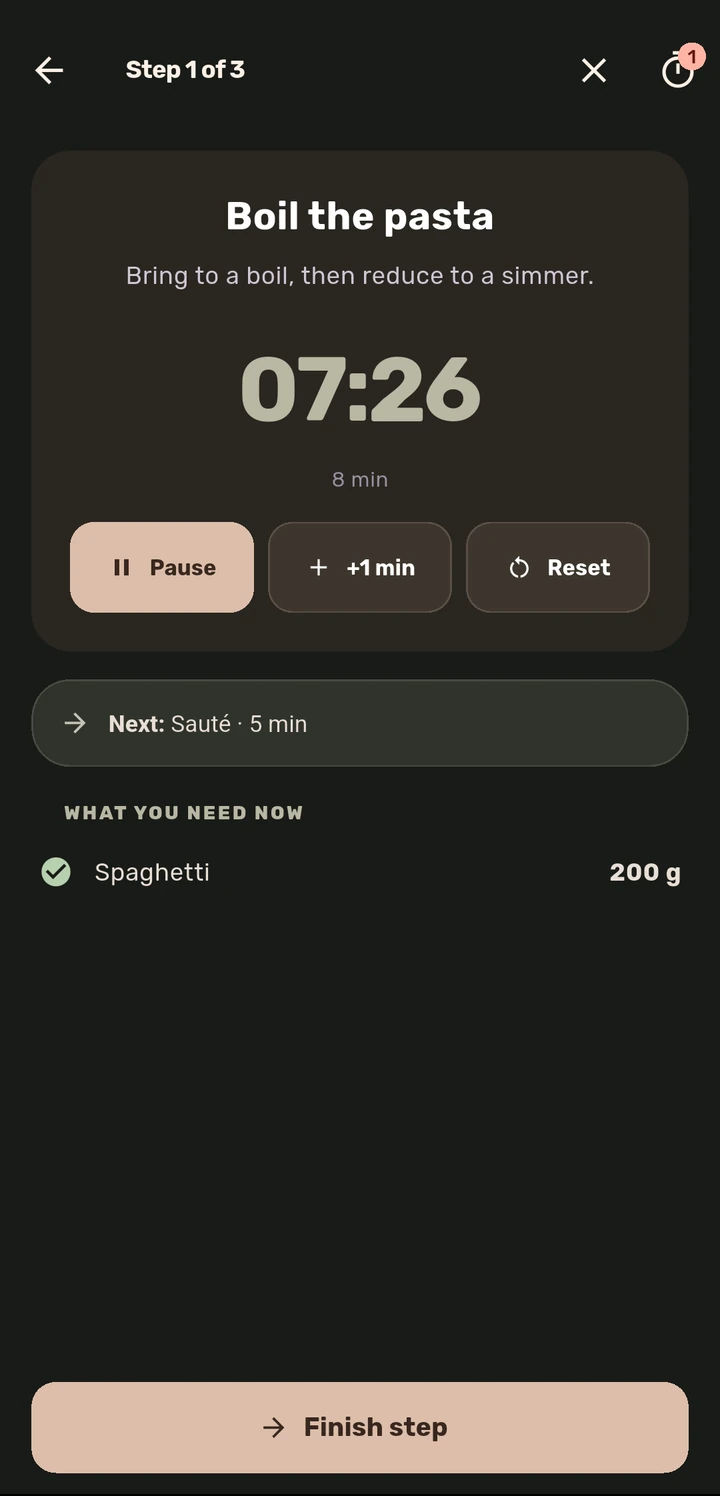
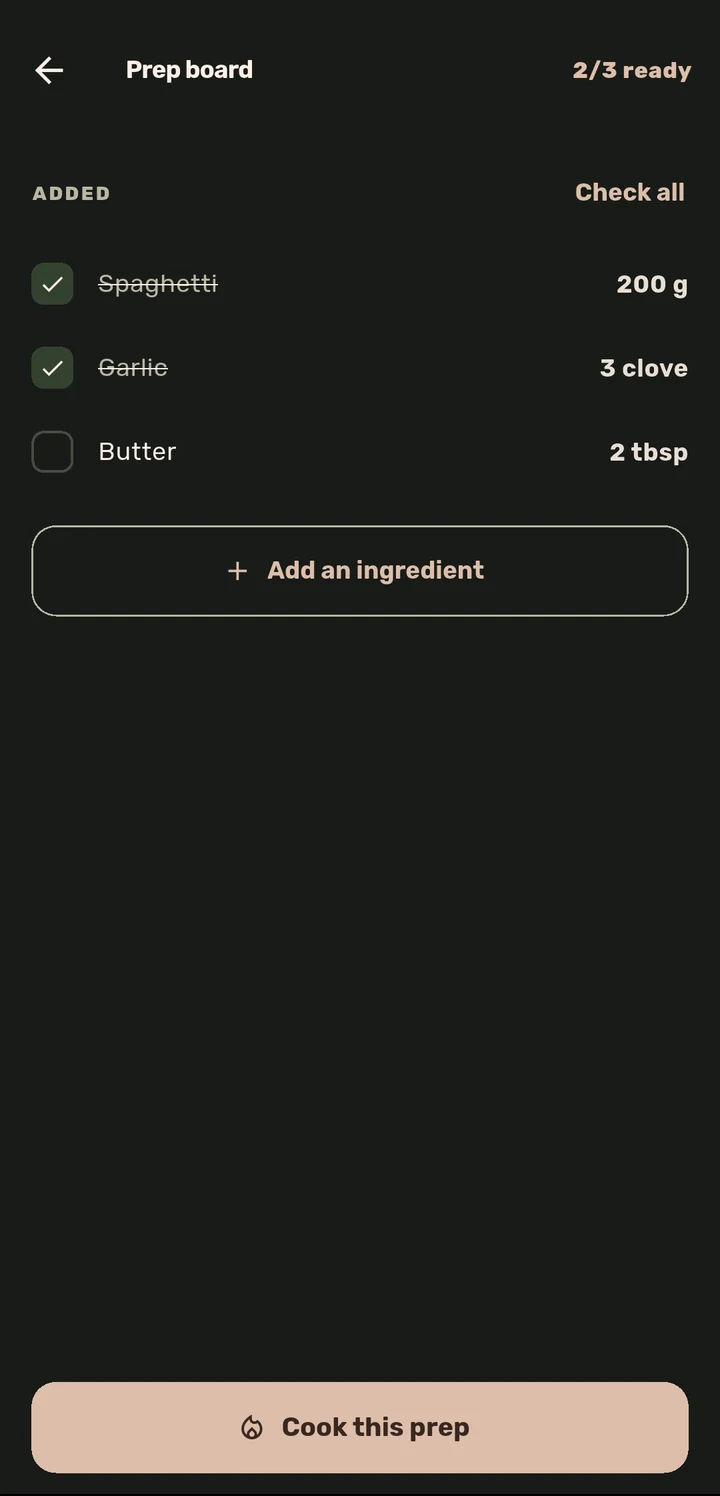
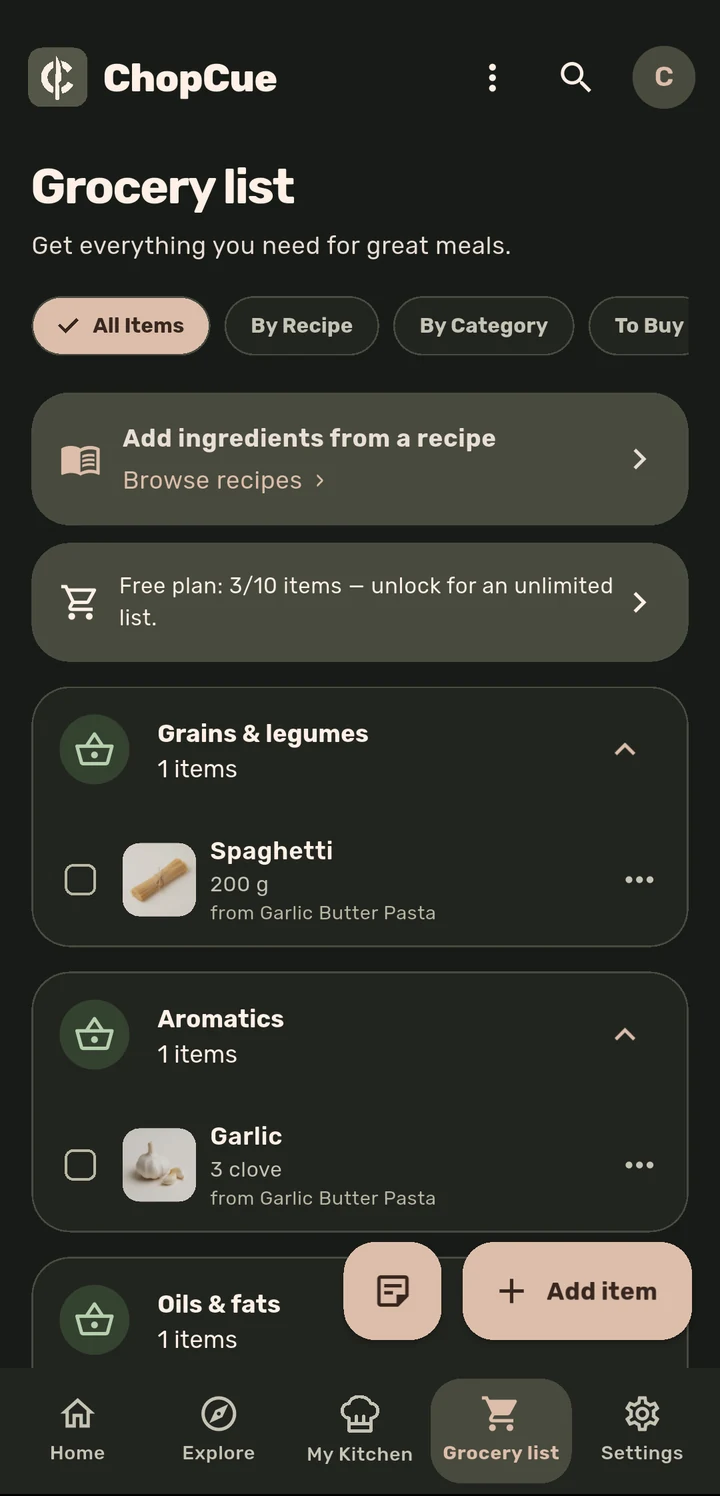
Pick a dish, tap the ingredients in, change the servings and watch the amounts follow, then run Cook Mode with a timer that actually ticks.
Text alternative: this demo walks through picking a dish, adding its ingredients with amounts that rescale to the number of servings, checking them off on a prep board, then following the cooking steps one at a time, each with a countdown timer and the ingredients it uses.
Fifteen features, each with its own page.
English and Arabic are both primary. Full RTL, a bundled Arabic font so nothing downloads at runtime, and layouts built for both from the start.
English · left to right
Step 3 of 6
Simmer until the sauce thickens.
12:00Arabic · right to left
الخطوة ٣ من ٦
اتركيها على نار هادئة حتى تتماسك الصلصة.
١٢:٠٠The Arabic font ships inside the app: no runtime download, no fallback rendering, no clipped labels.
Guests get the complete core cooking flow and may browse Explore. A free account raises the local limits; Lifetime adds community actions.
Fully offline cooking. The catalogue, your recipes and the timers are all on the device.
Export everything as readable JSON whenever you want. Local storage is the source of truth.
No subscription, no trial that expires, no recurring charge. You pay once on your platform and the app is yours.
$0
No account required. Local cooking with smaller limits.
$0
Sign in for higher limits. No card or expiring trial.
$9.99
Founder price · first 50 customers
Then $14.99 through month four, and $19.99 standard. One payment per platform.
Per platform: iOS and Android are separate purchases.
Android first · 14 testers wanted
We are selecting 14 genuine Android cooks for a 14-day closed test. Complete it and Lifetime access on Android is yours, with no review or rating asked in return.
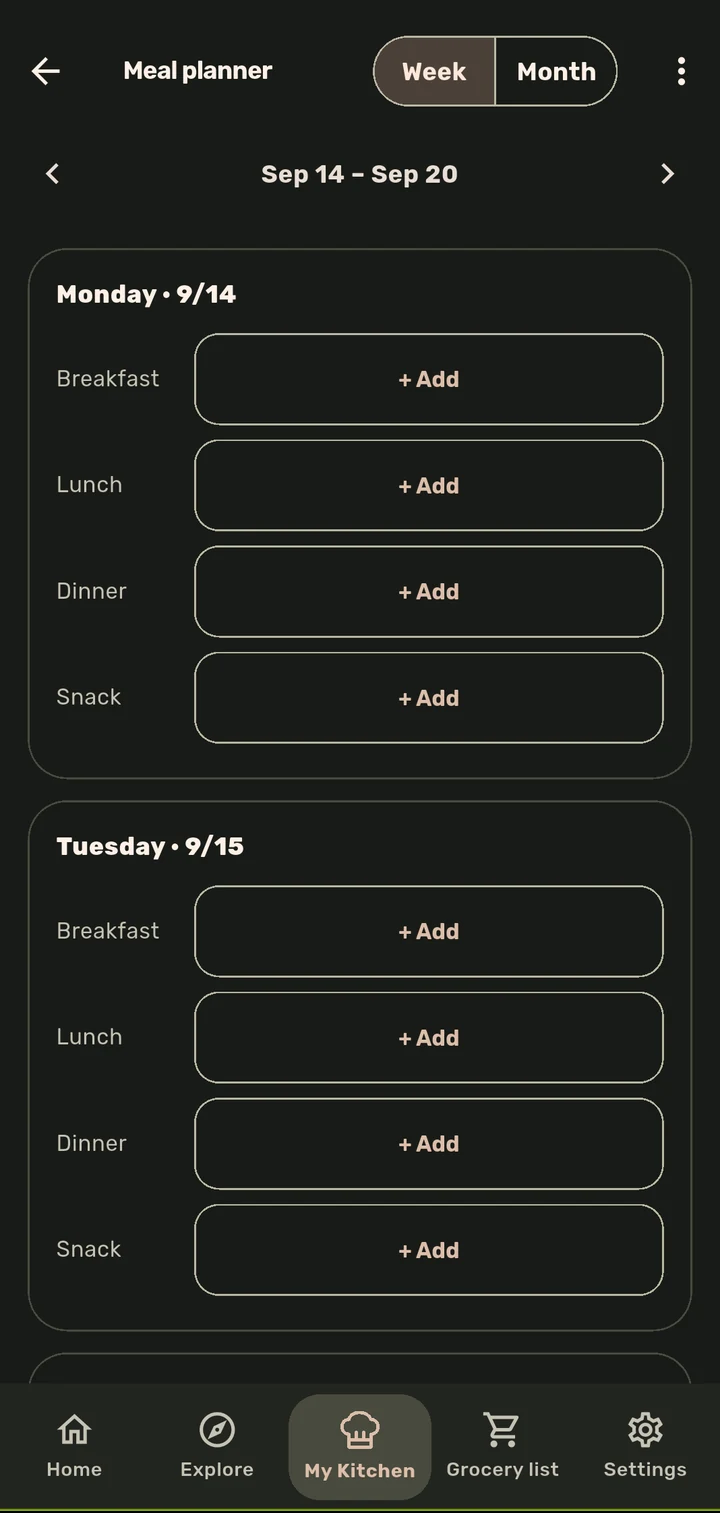
ChopCue is an offline-first guided cooking app for iOS and Android. It shows one recipe step at a time on a screen that stays awake, runs several named timers at once, and keeps a prep board, pantry, grocery list and meal planner on the device. It is a one-time purchase in English and Arabic, with no subscription.
No, and that is deliberate. ChopCue ships with zero built-in recipes. It ships with a 220+ ingredient catalogue and two prep bundles, and you fill it by importing from any recipe URL, writing your own, or pulling from Explore.
Yes. One purchase per platform, with no subscription, trial or recurring charge. The founder price is $9.99 for the first 50 customers, followed by $14.99 through month four and a standard lifetime price of $19.99.
Cooking is fully offline. The catalogue, your recipes, the prep board and the timers all live on the device. Only the community features need a connection.
No. Guests can cook locally and browse Explore. A free account raises the local limits to 10 recipes, 20 custom ingredients and 25 grocery items. Community participation, sharing, family and cloud capabilities require the Lifetime Unlock.
Guests get the complete cooking tools with limits of 3 recipes, 10 custom ingredients and 10 grocery items. A free account raises those limits to 10, 20 and 25. Lifetime removes the limits and adds notes, prep bundles, planning, Pantry & Fridge, publishing, sharing, family, friends, community, cloud and voice control.
iOS and Android. The two are separate purchases, because the stores are separate.
Join a family by code or email invite. You get a shared grocery list, a shared recipe pool, a vote on what is for dinner, and a “food is ready” ping.
English and Arabic, both primary. Full RTL layout and a bundled Arabic font, so nothing downloads at runtime.
We are in final testing and store setup. Early access is open. Leave an email and you will hear once, the moment it is on the store.
Early access
Leave an email and we will tell you when it is on the store. Nothing else, ever.
We will send one email when ChopCue is on the store. Nothing before that.